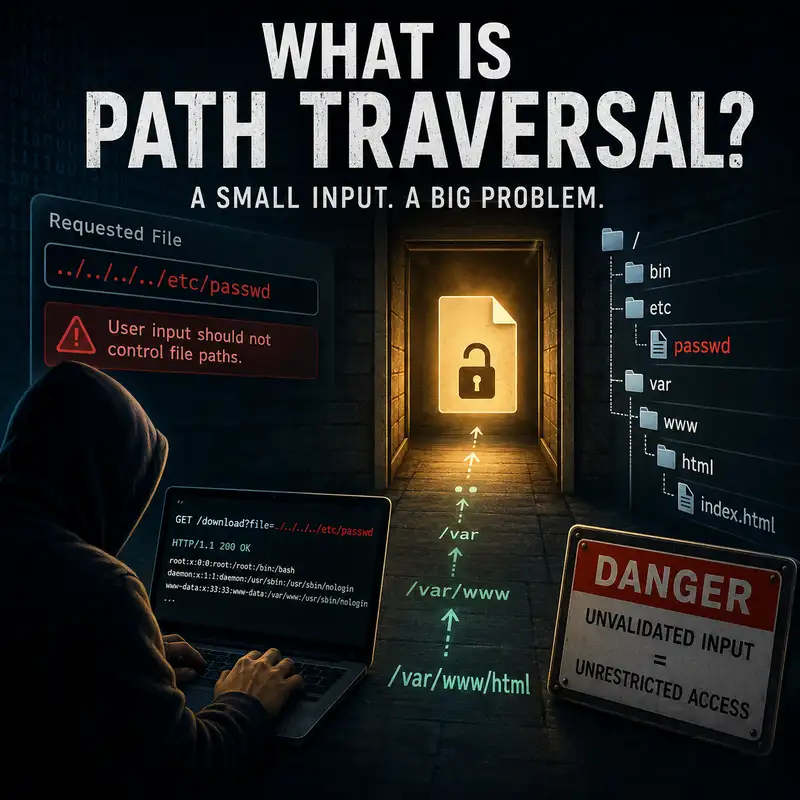
What Is Path Traversal?
Path traversal is often misunderstood as nothing more than a strange filename problem, but the real issue is a failure to keep file access inside an intended boundary. An application may be designed to return an uploaded document, an image, a template, or a report from one approved folder. If the application accepts part of the requested path from a user and joins it to a server-side directory without enforcing the boundary correctly, an attacker may be able to reach files the application was never meant to expose. That turns a routine file request into a security decision. By the end of this episode, you should be able to explain what path traversal means, how manipulated paths escape an approved location, why simple filtering is unreliable, and which design choices prevent the application from treating user-controlled text as unrestricted filesystem instructions. Path traversal occurs when user-controlled input changes the path an application uses to locate a file and causes the application to reach outside its intended directory. A file path is the sequence of directory and file names that tells an operating system where an item is stored. The application normally expects that sequence to remain under a specific base directory, sometimes called a document root, upload folder, content directory, or working directory. Traversal succeeds when the final resolved path crosses that boundary. The central distinction is that the attacker is not merely asking for an unusual file. The attacker is influencing how the application navigates the filesystem. That is why a harmless-looking parameter such as a filename can become dangerous when the program interprets it as part of a path rather than as a simple identifier. To understand how the attack works, start with the way filesystems represent location. A path may be absolute, meaning it begins from a fixed root location, or relative, meaning it is interpreted from the application’s current directory or another starting folder. Relative paths can contain special components that refer to the current directory or the parent directory. The parent-directory component is commonly represented by two dots, and repeated parent references can move the resolved location upward through several directory levels. A traversal attempt takes advantage of that navigation behavior. The application may believe it is opening a file inside an approved folder because it begins with the approved folder name, while the operating system resolves the complete path to a different location. The security decision must therefore be based on the final resolved destination, not merely on the text that appeared at the beginning of the request. The weakness usually appears when an application combines trusted path information with untrusted input. A developer may define a base folder and then append a requested filename, report name, language file, template name, or download parameter. That construction can be safe only when the user-controlled value is tightly constrained and cannot alter directory structure. Trouble begins when separators, parent references, absolute-path markers, alternate encodings, or other special path syntax are accepted. The operating system then interprets the combined string according to filesystem rules, not according to the developer’s intent. This distinction matters because an application can display only one input field labeled file name while still allowing the value to control several directory levels. The vulnerability is therefore created by unsafe path construction and incomplete validation, not by the existence of files or folders themselves. The information exposed through path traversal depends on the application’s permissions and the files available to its process. Configuration files may contain service locations, account names, connection details, or security settings. Credential material may appear in improperly protected secrets files, key stores, environment-related files, or application deployment artifacts. Operating-system data can reveal usernames, software configuration, directory structure, and other details that support further compromise. Source code, logs, backup copies, and temporary files may also contain sensitive information even when the application’s normal interface never displays them. Path traversal does not automatically grant access to every file on a server. The process can read only what the operating system and surrounding controls permit. Even so, one exposed file may provide enough information to weaken authentication, reveal secrets, or guide later attacks. Path traversal is closely related to other file-handling problems, but it is not identical to them. Arbitrary file read describes the result when an attacker can cause an application to return unintended file contents, while path traversal describes one technique that may produce that result. Local file inclusion occurs when an application loads or executes a local file as part of its own processing, which can create consequences beyond simple disclosure. Unrestricted file upload concerns placing attacker-controlled content onto a system, rather than navigating to an existing file outside an approved location. Broken access control may also be involved when a user can request another user’s permitted file without leaving the intended directory. Correct classification helps defenders choose the right fix. A missing authorization check requires stronger permission enforcement, while traversal requires safe path handling and containment. Simple input filtering often fails because path text can be represented in more than one form. Different operating systems recognize different separators, and some environments accept more than one separator style. Web frameworks may decode encoded characters before the path reaches application logic, while another component may decode the value a second time. Redundant separators, current-directory markers, alternate character representations, case differences, and normalization behavior can all change how a string is interpreted. A filter that searches only for one obvious parent-directory sequence may therefore miss an equivalent path. Removing suspicious characters can also create a new dangerous sequence when the remaining pieces join together. The reliable question is not whether the input contains one known pattern. The reliable question is whether the final canonical path remains inside the exact directory the application is allowed to expose. Before continuing, a brief promotional note. This episode is brought to you by the Bare Metal Cyber Academy. The Academy provides a place for people who want to continue developing practical cybersecurity knowledge through clear, structured education that connects technical concepts to real security decisions. Topics such as secure application design, access control, risk, and defensive analysis become more useful when they are taught in a way that explains both the mechanism and the consequence. Visit Bare Metal Cyber dot com to explore the Academy and see the learning opportunities currently available. Now, let’s return to path traversal and the controls that keep file requests inside their intended boundaries. Canonicalization is a central defensive concept because it converts a path into a standardized, resolved form. The process may remove redundant components, resolve current-directory and parent-directory references, apply separator rules, and produce the actual location the operating system would use. After canonicalization, the application can compare the resolved candidate path with the resolved approved base directory. Access should continue only when the candidate is truly contained within that base. A simple text comparison must be designed carefully because directory names can share prefixes without representing the same location. The comparison also needs to respect the operating system’s case behavior and separator rules. Canonicalization does not make untrusted input safe by itself, but it allows the application to evaluate the destination that will actually be accessed instead of trusting an ambiguous path string. An even stronger design avoids accepting paths from users at all. The application can expose a logical identifier, such as a database record key or an internally generated document reference, and map that identifier to a server-controlled path. The user selects the resource, but the server decides where the file resides. This separates the public request from the filesystem layout and prevents directory syntax from becoming part of the interface. An allowlist can further limit which identifiers, filenames, extensions, or resource types are valid. The server should reject values that do not match the expected format rather than attempting to repair them. When direct filename input is unavoidable, the application should accept only the narrowest character set and structure needed for the function. The safest path is the one the user never gets to construct. Containment also depends on operating-system permissions and deployment architecture. An application process should run with only the file access required for its purpose. A service that only needs to read public images should not also be able to read private keys, administrator configuration, user home directories, or unrelated application data. Sensitive files should be stored outside the application’s readable area whenever practical, and secrets should be managed through mechanisms that limit unnecessary exposure. Containers, service accounts, filesystem permissions, and isolated storage locations can reduce the consequence of a traversal flaw, but they do not replace secure path validation. Least privilege changes what the vulnerable process can reach. It turns a potentially broad disclosure into a narrower one and gives defenders another layer when application logic fails. Symbolic links and filesystem redirection create another complication. A path may appear to remain inside the approved directory while a symbolic link points to a location outside it. Mount points, junctions, network shares, and platform-specific link mechanisms can produce similar surprises. A secure design must consider both the written path and the object ultimately reached after the filesystem resolves those links. Race conditions can also occur when an application validates a path and then opens it in separate steps, allowing the underlying file relationship to change between the check and the access. Safer platform functions can reduce that gap by opening files relative to a trusted directory handle or by enforcing no-follow behavior for links. The exact method depends on the language and operating system, but the principle remains consistent: validate and access the same resolved object under the same security assumptions. Detection and testing begin with understanding what normal file requests look like and tracing each user-controlled value to the final filesystem operation. Logs may reveal parent-directory markers, encoded separators, repeated decoding patterns, absolute-path indicators, unusual filename lengths, or requests for files unrelated to the application’s function. Repeated missing-file and denied-path errors can indicate probing, although ordinary defects can produce similar records. A successful request may return sensitive content with a normal status, so defenders should also monitor unexpected reads of configuration, credential, source, backup, or operating-system files. Authorized review should identify every feature that reads, writes, includes, extracts, previews, or downloads files from request data. Code review should confirm how input is decoded, normalized, joined, canonicalized, checked for containment, and opened. Testing should account for alternate encodings, separator behavior, absolute and relative forms, link resolution, and platform differences. The objective is to prove that no user-controlled value can make the final operation escape the authorized location. A practical way to evaluate any file-handling feature is to follow the data from request to filesystem. Identify exactly which value the user controls and whether that value represents a name, an identifier, or part of a directory path. Determine how many components decode or transform it before the file operation occurs. Confirm that the application resolves the candidate path to a canonical form and verifies containment within a resolved base directory. Check whether symbolic links or platform-specific path rules can redirect the request, and verify that the process lacks permission to read unrelated sensitive files. Review logging so that rejected traversal attempts and abnormal file reads are visible. Finally, prefer redesign over pattern matching whenever possible. Replacing user-supplied paths with server-side identifiers removes an entire class of ambiguity and produces a control that is easier to explain, test, and maintain. Path traversal is the manipulation of a file path so that an application reaches beyond the directory it intended to expose. It succeeds when user-controlled text is treated as navigation, the final destination is not properly resolved and checked, and the application process has permission to access the requested file. The result may be disclosure of configuration data, credentials, source code, logs, backups, or operating-system information, depending on what the process can read. Effective prevention begins by avoiding user-supplied paths, mapping logical identifiers to server-controlled files, canonicalizing unavoidable paths, verifying true containment, handling links safely, and enforcing least privilege. The practical decision is straightforward: do not judge a file request by how harmless the supplied filename appears. Judge it by the exact object the operating system will open and whether that object remains inside the authorized boundary.